Adjust Scoring (Web Only)
- Adjust Scoring is only available in League Manager Leagues, and is only available on the web version of ESPN Fantasy Football
- The Adjust Scoring feature can be accessed from the "League Manager Tools" and "Scoreboard" pages
- This feature allows the League Manager to add or subtract points from a team on a given week
- If the score adjustment changes as a result of the game (i.e. from a win to a loss), the standings page will automatically update to reflect the adjusted results
- If the adjustment is made to a game, the box score page will reflect the change with an asterisk
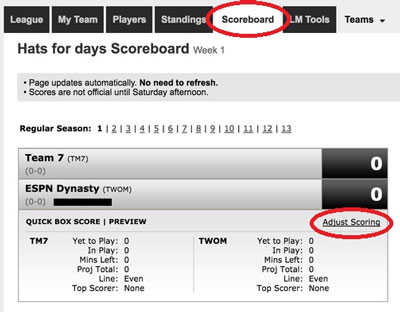
- To adjust the scores, click on the “Scoreboard” tab and then click “Adjust Scoring” for the matchup you wish to edit
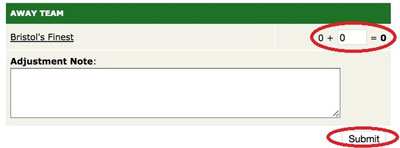
- Next, add or subtract the points as needed then click "Submit"