The league creator has the option of choosing the number of player acquisitions allowed through free agency or waivers during the season. Players added via trade do not count against any team acquisition limits. In League Manager Leagues, this setting can be changed by the League Manager at any time during the season.
Set Acquisition Limit (Web Only)
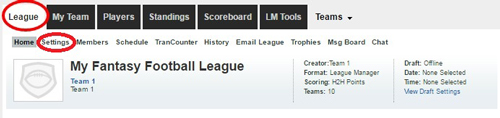
- Click on the “League” tab
- Click on “Settings”
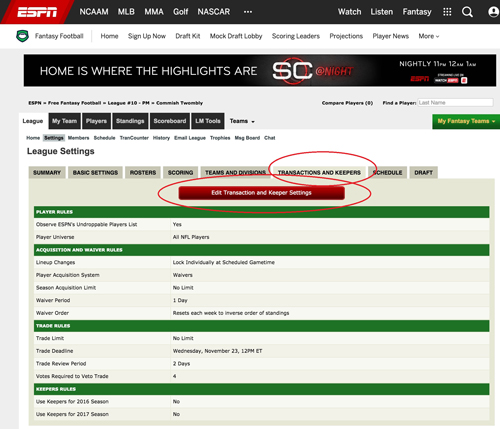
- Click on “Transactions and Keepers”
- Click on “Edit Transactions and Keepers”.
The three types of settings for this are:
- No Limit: This is the default setting and majority of leagues use this setting. There is no limit to the number of players a team can add or drop
- None Allowed: Only the League Manager can add players to teams
- Limited: A specific number of transactions is selected (i.e. 5, 10, 15, 20). Once that number of transactions has been reached, the team will not be allowed to add any more players to their team